

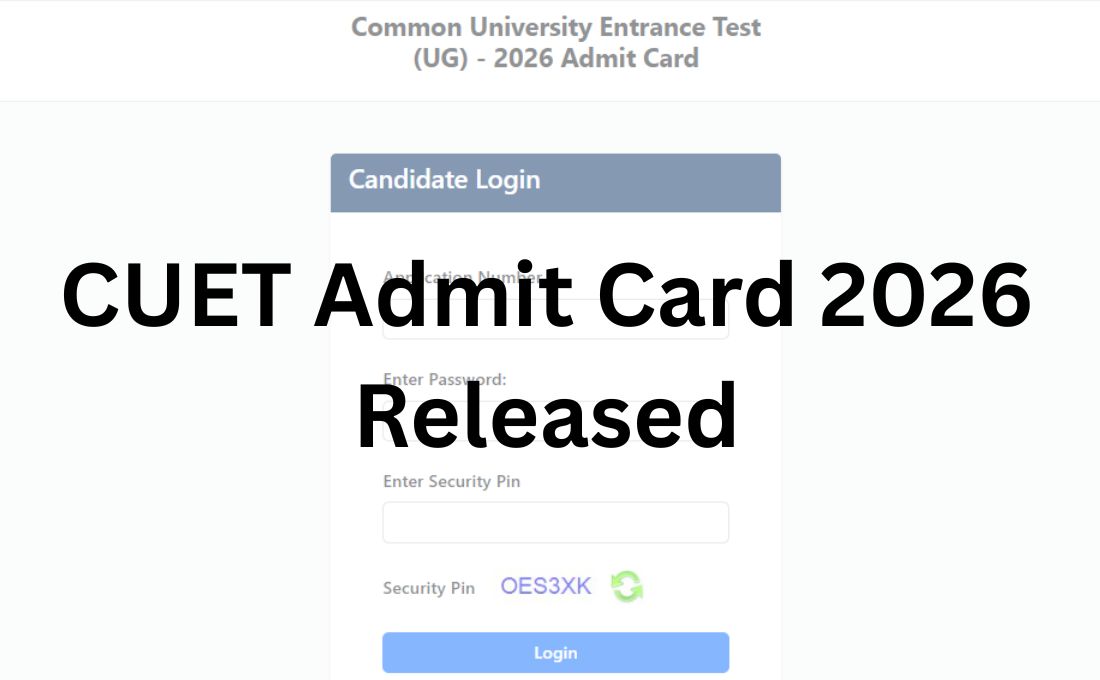
The National Testing Agency (NTA), which is to conduct the Common University Entrance Test Undergraduate (CUET UG) between May 11 and May 31, 2026, has released the CUET Admit Card 2026 at its official website. All the students who are aspiring and preparing hard to appear for the CUET UG Exam 2026 can now download their CUET Hall Ticket 2026 from the official website at www.cuet.nta.nic.in using their application number and password as the required login credentials.
The NTA has previously announced that the CUET UG Exam 2026 for admission into various undergraduate level courses will be conducted between May 11 and May 31, 2026, in CBT mode, covering 13 languages, 23 domain-specific subjects, along with the general test.
It has been announced that the exam will be conducted in a total of 35 shifts nationwide, for which 15,68,866 candidates have already completed their registrations at the official portal.
CUET Admit Card 2026 Link
The CUET Admit Card 2026 is now live at the official website of the NTA, so that all the aspirants of the exam can complete their login process and access their hall ticket. To access their CUET UG Admit Card 2026, the aspirants are required to enter their application number and password along with the security pin shown on the screen.
To make the process for downloading their CUET UG Admit Card 2026 easier, we have shared the direct link connecting with the admit card login window. Click on the link, complete the login process and access the admit card.
CUET UG Admit Card 2026 Out – Click to Download
How to Download CUET Admit Card 2026?
The complete process to be followed by the aspirants to download their CUET Admit Card 2026 is detailed below:
Step 1: Visit the official website of the National Testing Agency for CUET at https://cuet.nta.nic.in/
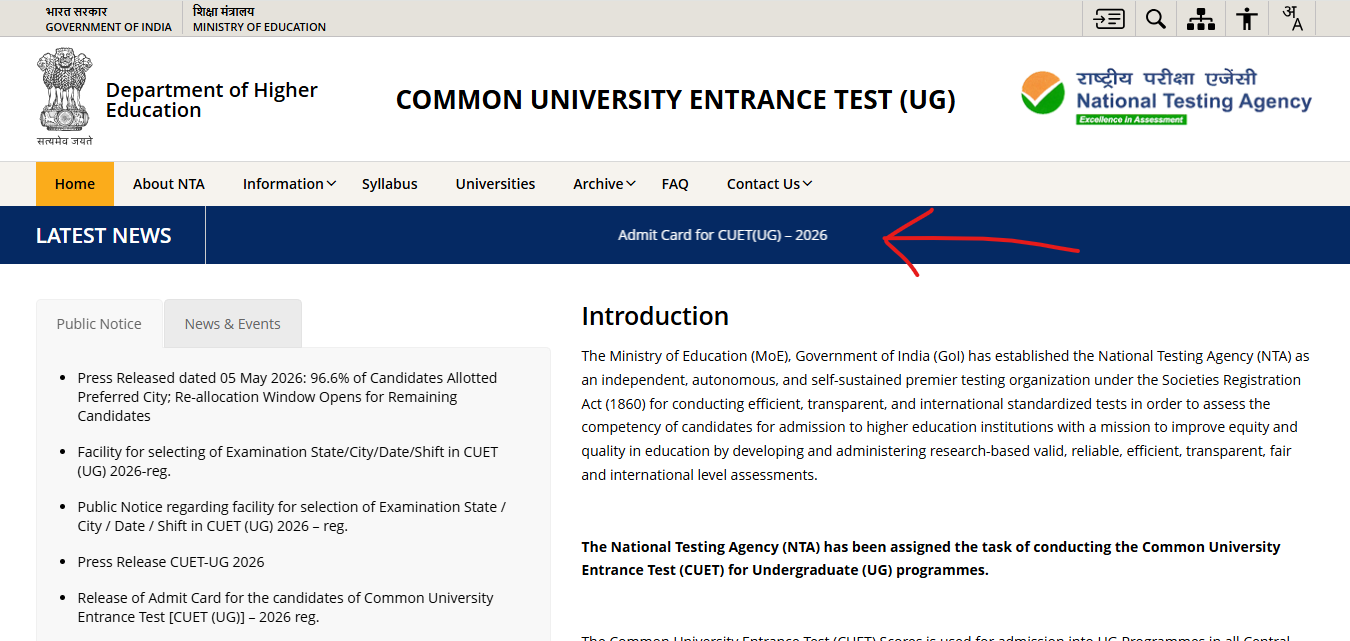
Step 2: On the home page of the website, click on the link for “Admit Card for CUET(UG) – 2026” under the latest news section
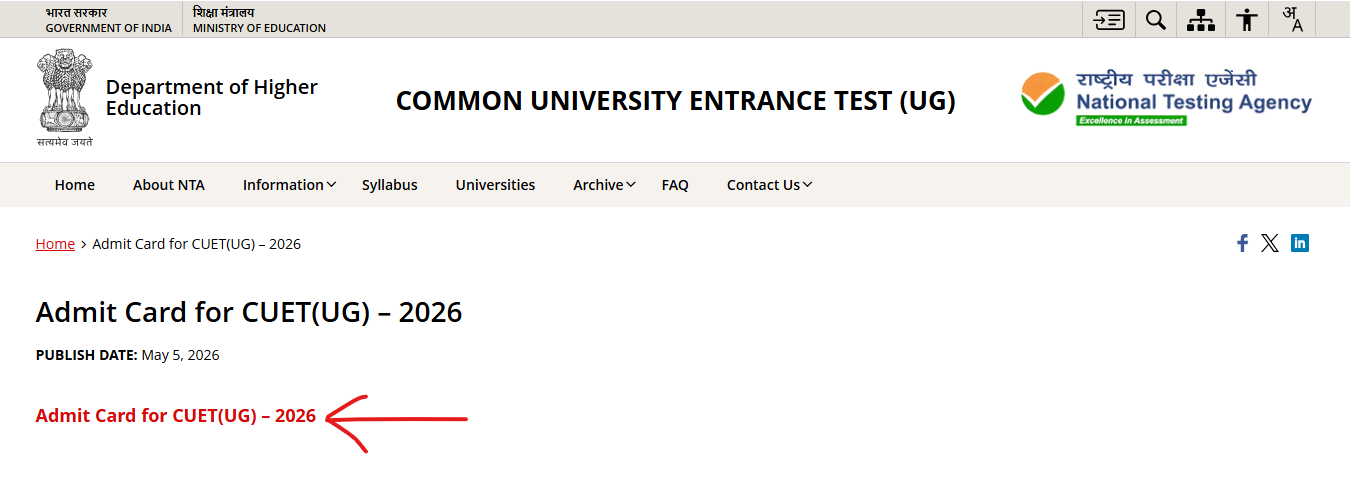
Step 3: On clicking this link, a new window will open on the screen. Click on the tab for “Admit Card for CUET(UG) – 2026” highlighted in red colour
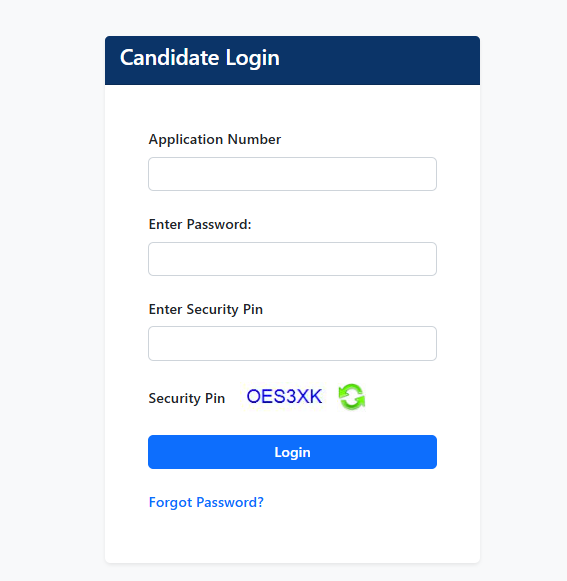
Step 4: On clicking this link, the login form for the CUET Admit Card 2026 will appear on the screen
Step 5: Enter the “application number“, enter “password” and “security pin”
Step 6: Click on the tab for “login”
Step 7: The CUET UG Admit Card 2026 will appear on the screen
Step 8: Check and save the admit card for exam day use.






Leave a Reply